A Draft:
I first discovered this IBM Cognos when I was searching for a job, then I found this job https://ph.jobstreet.com/job/89895617?ref=search-standalone&type=standard&origin=showNewTab#sol=4851426656ce331a8796715565c7b2f273ae916e which needs people who use IBM Cognos.
When I opened the IBM Cognos web application it reminded me of Power BI which easily enabled me to pick up the web application tool well. The problem however is that it’s paid, I was given free trial 30 days. Unlike Power BI when the snapping of the objects are based on the objects themselves, in IBM Cognos you can be able to attach entire graphs on like a template box, like it can easily snap on it which made doing the job easier.
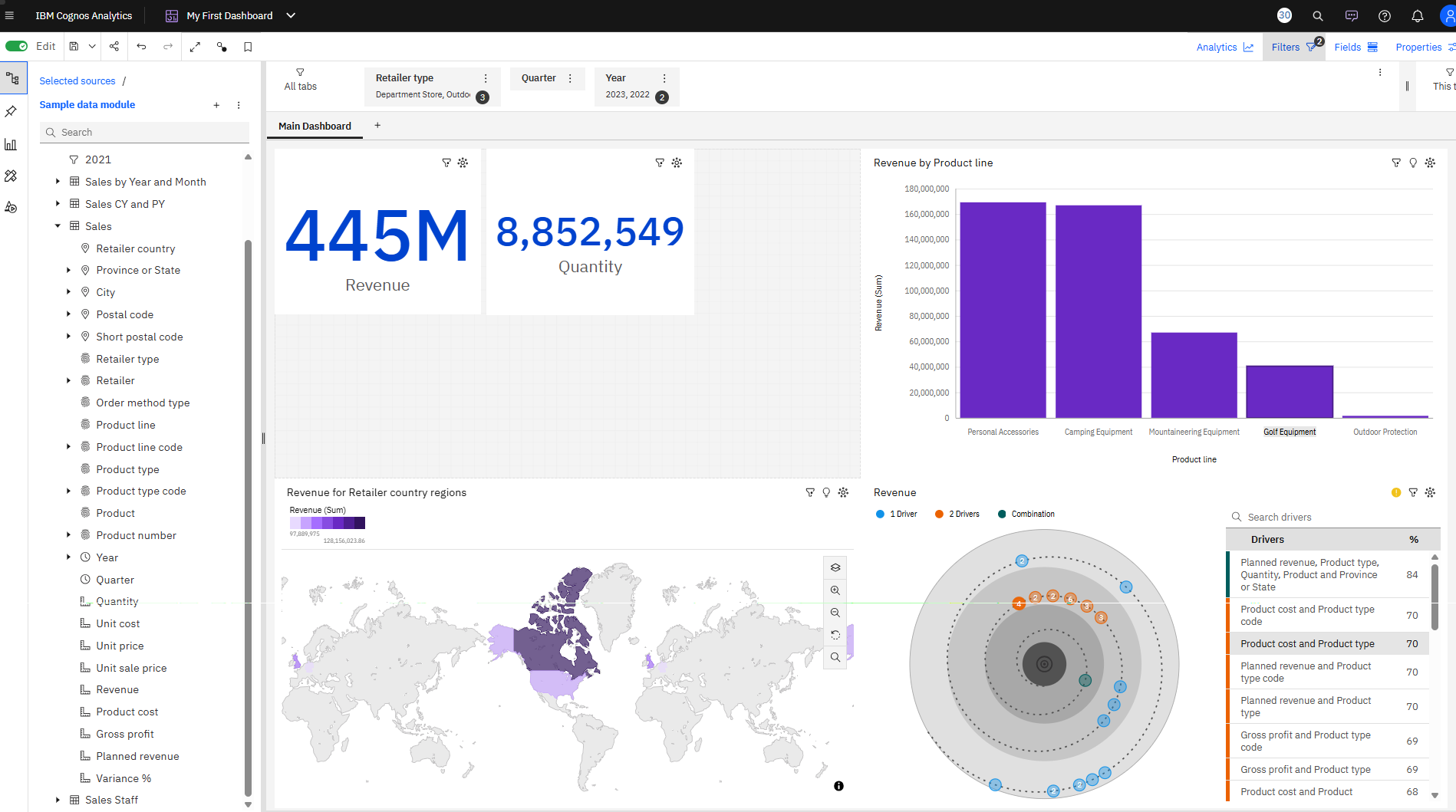
Within an hour I was able to create this (this was from the tutorial from IBM as well):
My First Dashboard created in IBM Cognos – 2/14/2026
tutorial used: https://mediacenter.ibm.com/media/1_eof056a5
My thoughts about this is it’s Power BI but it’s better.
Also check this out, I can put it in my website too:
the above interactable object is an iframe tag provided from the share button of your dashboard. Makes it very easy to share.
I think I need to log in to this.
| PROS | Cons |
|---|---|
| Provides templates | It’s paid |
| In the Templates you can snap your graphs to easily resize them automatically. | online–only - if you like being able to work on your dashboard, you will need constant internet. |
References
- How to create your first dashboard (11.2.0). (n.d.). IBM Mediacenter. https://mediacenter.ibm.com/media/1_eof056a5